
Xactimate Training Introduction
Learning the insurance adjusting process is complex. There is a science to insurance claims estimating that requires a person to have a solid foundation of knowledge in constructing estimates but also in how to approach projects. As challenging as it is to estimate any project, there is software available to help. Xactimate is one of the most popular tools used because of how accurate and efficient it can be. To get those benefits, it’s helpful to have comprehensive knowledge about how to use this software.
As an adjuster, learning how to use – and master – Xactimate is critical to the effectiveness and efficiency of the work you do. With Xactimate training, you're able to learn both the technical and practical aspects of this software, so you can use it effortlessly while getting the most out of it.
Having ample training is essential for those who aim to stand out from the competition and ensure they are building a strong estimating business. Everything you need to build a six-figure income as an adjuster is possible with Xactimate, but you have to master using it first.
Why Should You Go For Xactimate Training?
Xactimate is the most comprehensive solution for property claims estimating. More restoration companies and adjusters use it than anything else. That is because it is highly accurate and provides lots of flexibility to allow it to work with just about any project.
This detailed and versatile software provides solutions for all needs throughout the insurance claims estimating process and beyond. It includes tools to create highly precise and detailed estimates without requiring a lot of time. It also provides a local pricing research tool that helps with ensuring accuracy and more reliable pricing details for any type of project.
With Xactimate, it is also possible to use InsurTech tools for the entire project, including measurements, scope, and loss documentation. Ultimately, with this tool, each of the estimates created looks professional and is outstanding in terms of its accuracy. It also supports:
- Depreciation calculations
- Automatic calculations of waste
- Timeline estimation tools
- Calculation of materials for projects
- Structure sketching for virtually any type of project using geospatial aerial data
- Image organization
The software allows for the gathering of loss data, the sketching of the structure, and then the research of project costs. It allows adjusters to review and create very accurate and complete estimates. This is a simplistic breakdown of what it can do, and depending on how you use it, such as the mobile version, you may find it’s far more complex than you realized.
If you are planning to work in this field, Xactimate is likely the tool you will need to use. Now that you can see why to use it, consider how to use it.
What to Look for in Effective Xactimate Training
Though it's built to be comprehensive and in-depth, there is a learning process involved in getting Xactimate online and making it useful as an adjuster or within your business. It's easy enough to purchase and start using but to get the most out of it, pursue Xactimate training.
Xactimate training should include both training on using Xactimate itself to its fullest ability as well as how to apply this technology to an adjusting career to ensure the very best results. Not all training programs are the same, though. As you look at your options, consider a few of the most important components your training should include.
Mastering the interface
Available on a desktop or online, Xactimate has a detailed interface that provides all of its tools within a few simple clicks. There's also a mobile version with a different interface just as detailed. Your training should show you how to navigate the entire interface, including how to access all of the tools and features tools like the flooding estimation tool and the Xactimate inspection tool. After completing the course, you should be able to navigate the program and find exactly what's necessary. By the time you master the interface, you will probably be ready to achieve the Xactimate Level 3 certification through its developer, Verisk.
Become proficient at using the tools
One of the most important reasons to use Xactimate is because of the high level of tools offered. Mastering those tools is critical to ensuring you are not spending too much time on each of your projects. Your Xactimate training should focus on each of the features as well as how to use them properly and efficiently.
Some examples of this include using DISTO measuring devices to help improve sketches and using the room building tools properly. Small mistakes within these features can create costly mistakes later. Xactimate eliminates most of those mistakes as long as you are using it properly. You’ll need to know how to annotate sketches and photos, use voice estimation tools, including voice notes, and manage project Sketch AR that uses Lidar. That takes a bit of skill, but you'll learn it with proper training.
Photo management
One of the best features of Xactimate is its ability to utilize photos and manage them in an efficient manner. We’ve mentioned annotating and using photos, but Xactimate does much more. The Xactimate Inspection Tool makes it easy to use photo labeling as well as to add photos to reports, highlight specific aspects of photos, and manage photos over the entire scope of the project.
Photos are the backbone of the work estimators do because they need to be able to come back and show what they witnessed on the job site. It also provides a way to manage photos on the go, so you can pull them up at any time for verification or more information. Some jobs can have thousands of photos, and having an efficient way to manage them is critical.
Ensure efficiency with pricing
Xactimate’s integrated pricing tool is a valuable component to learn to use properly as it provides up-to-date pricing that’s critical in times of rapidly changing supply chains and increasing prices in the industry. Accuracy in pricing is key to all project managers and insurers, but it is a rapidly moving number today.
With the skills to use the integrated pricing tool, it's possible to ensure there are more accurate reports created. The information on this tool is very reliable because the database it uses is validated and fully researched. It’s quite comprehensive when used properly.
Graphical estimation proficiency
Look for training that specifically provides education and skill-based training on graphical estimates. A component of this is learning how to use Xactimate’s Drop and Fill Method. By learning how to master this component of the software, adjusters are less likely to over- or under-estimate on materials, reducing waste and improving the accuracy of claims. The problem with this type of software is that it takes a bit of time to learn. Your Xactimate training should include detailed steps on how to use the graphical estimation tools for various tasks and in numerous scenarios.
Your Xactimate training should be comprehensive and include:
- Automation steps to streamline the process
- Details on in-line items, price lists, and others
- Creating new estimates and updating existing estimates
- Sketching interiors fully and with precision detailing
- Building quality estimate reports that look professional
Learn With Digital Training, Not In-Person
As a software product, Xactimate training should focus on providing an efficient way of learning that will always be accessible. It is important for independent adjusters and estimators alike to have ample Xactimate training before they enter the field and put their knowledge to use. However, there’s often a period of time between their training and getting that opportunity; whether it be because they’re waiting for a catastrophe to strike or simply cannot find a local company to work with. It is because of this gap in time learning the software digitally, with content you can always return to, is superior over in-person training. You want to have a way to always be able to ‘freshen up’ on Xactimate or refer back to particular lessons as you need to during your own personal learning process. Your training should provide a way to continue your education and come back to the content as you need to do so.
Looking Beyond the Software
The best type of Xactimate training does more than just teach you how to use your tools. It also tells you how to improve your results, such as improving readability, ensuring comprehensive reports and total loss figures, and ensuring there’s efficiency throughout the entire process. After all, most independent adjusters and estimators earn their money based on the total of the estimate – so it’s important to make sure you are using the software to its fullest capacity. Look for software training that dives deeper into how to use Xactimate to grow your adjuster business, not just how to use its features.
Turn to Adjuster-University.com for Solutions
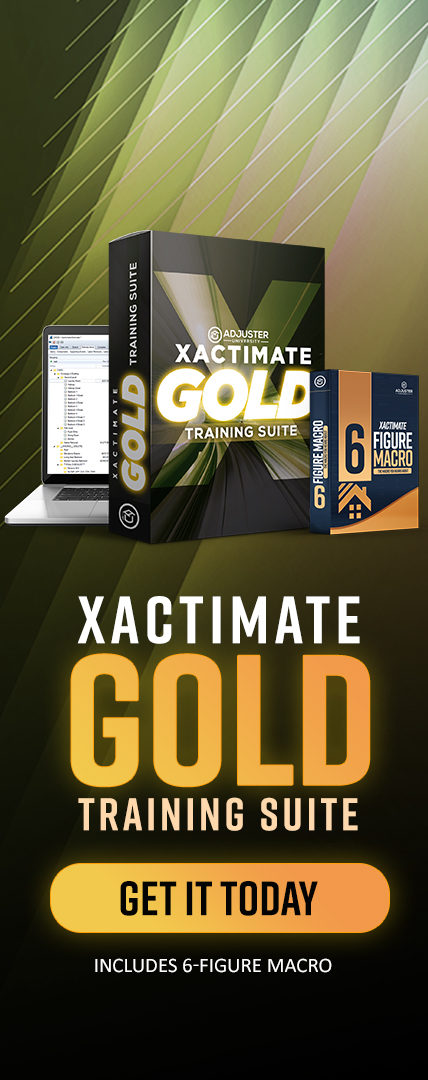
With the Xactimate GOLD Training Suite by Adjuster University, you can tap into comprehensive Xactimate training that’s designed for the beginner and the pro looking for more in-depth use of this tool. Our dedication to providing complete knowledge and skill training, along with a format that’s easy to follow, enables our adjusters to go further and build a strong, healthy career because of how efficient and accurate they are.
The Xactimate GOLD Training Suite by Adjuster University provides more than what you will usually find in other training solutions, such as:
- Completing detailed and comprehensive photo reports in less time
- Tricks to building entire floor plans quickly
- Several hours of reviewing damage through photographs and transcribing the repair into Xactimate codes
- Tips to ensuring your estimate total is the most it should be – so everyone, including you, is paid what you’re truly owed
Click Here to Learn More About Xactimate GOLD Training Suite by Adjuster University.